


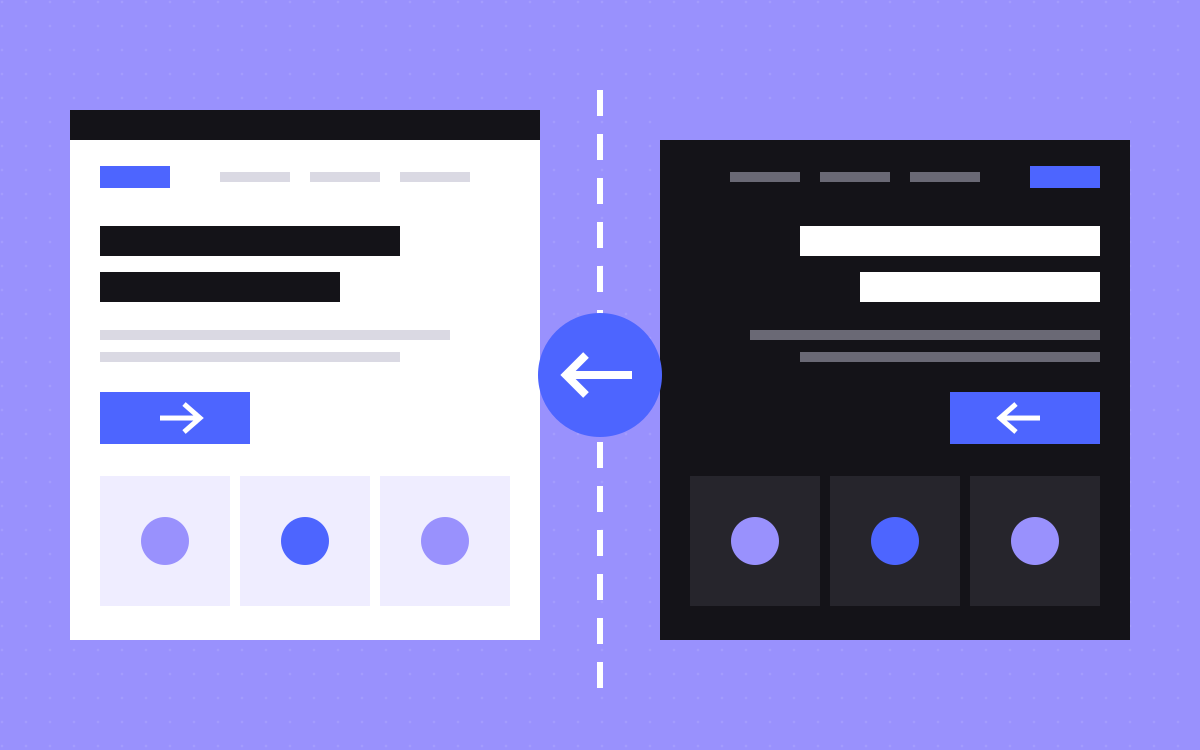
- Webflow sets right to left on published sites for Arabic, Persian, Hebrew, Urdu and Yiddish locales.
- That changes text direction. It does not fix fixed left and right margins, icons or custom code.
- Use logical properties, such as margin-inline-start, so spacing follows the direction.
- Mirror direction, such as arrows and back buttons. Do not mirror media controls, clocks, numbers or logos.
- Use an Arabic font, set letter spacing to zero and have a native speaker review the real pages.
The short answer
Yes, you can run an Arabic site on Webflow. Add an Arabic locale with Webflow Localization, and Webflow sets right to left (RTL) on the published site for you. What it will not do is finish the job. Layouts with fixed left and right values, direction icons, fonts and custom code still need work.
Plan Arabic before design starts if you can. Fixing direction across a finished site takes longer than building for it, because every section has to be checked again. For the wider language setup, read our Webflow Localization guide.
What Webflow handles for you
- Direction. Webflow's help pages say RTL is automatic on published sites for Arabic, Persian, Hebrew, Urdu and Yiddish locales and their regional versions, even before the text is translated.
- Overrides. Where a piece of text should stay left to right, change the text direction in the Style panel, or add a
dir="ltr"ordir="auto"attribute. - Styles per locale. You can override styles in a locale, so Arabic can have its own font and sizes.
- URLs and tags. Each locale gets a subdirectory, by default its language code, such as
/ar, and Webflow can generate hreflang tags.
Publishing to a secondary locale needs a Localize add-on. Check the current Webflow docs for plan details.
What you still fix by hand
Most RTL bugs come from values that name a side. A card with margin-left keeps that margin on the left, even when everything around it has flipped. Logical properties fix this, such as margin-inline-start in place of margin-left, and text-align: start, because they follow the direction.
Go through these in the build:
- Padding, margins and borders on one side only.
- Absolutely positioned badges, labels and decorations.
- Text set to align left, not to start.
- Sliders, tabs and marquees that move on an x axis.
- Background images with a focus on one side.
- Custom code and animation. A slide in from the left needs a second thought.
What to mirror, and what to leave alone
Here is the rule we work to. Flip what shows direction or progress. Leave what does not.
| Element | Mirror? | Why |
|---|---|---|
| Back and next arrows | Yes | They point along the reading direction |
| Navigation order and page layout | Yes | The eye starts on the right |
| Linear progress bars in Arabic | Yes | Progress follows the reading direction |
| Play, pause and media controls | No | They refer to the media, not the page |
| Clocks and circular refresh icons | No | Clocks turn the same way everywhere |
| Numbers | No | Digits keep their order, though numerals may be localised |
| Objects with no direction, such as a camera | No | Nothing to flip |
| Logos and product screenshots | Check first | A flipped logo is a wrong logo, and a screenshot should show the real product |
Type: the part English designs miss
A font that looks great in English may have no Arabic letters, and the browser will then pick its own. Choose an Arabic typeface on purpose. In Webflow, upload the font, switch to the locale view and localize the typography styles there.
- Letter spacing. Arabic letters join, and letter spacing pulls them apart. Set it to zero in the Arabic locale, including on buttons and small labels.
- Uppercase and tracking styles. Arabic has no capitals, so eyebrow labels that rely on caps need another way to stand out.
- Size and line height. Arabic can look smaller at the same size, and marks sit above and below letters. Check your headings and do not copy the English values blindly.
- Justified text. Arabic justifies with methods other than extra word spacing, and browsers vary. Keep text aligned to the start.
- Hand-placed line breaks. Remove them. They fall in the wrong place in another language.
Mixed text: phone numbers, codes and brand names
Arabic pages are rarely all Arabic. Brand names, product codes, email addresses and phone numbers run left to right inside right-to-left sentences, and punctuation can land in the wrong spot. Set dir="ltr" on those fields, and on form inputs for email and phone. Use dir="auto" where the language can vary, such as CMS fields typed by different people.
Agree with your translator on digits too. Arabic text can use Western digits or Eastern Arabic digits, and either way it should be the same across the site. Prices, dates and currency need the same care, so write the rule down once and give it to everyone who adds content.
SEO for the Arabic version
- Translate the title, description and social settings per page. Webflow lets you do this per locale.
- Page slugs can be localized too. Some Localize features depend on your plan, so check what yours covers.
- Webflow's 301 redirects do not carry over to localized paths. Add separate rules for them.
- Keep the language in the URL, not in a cookie. Google advises a separate URL for each language.
- Translate the main content, not just the menu. Google can treat a page as a duplicate if the main content stays untranslated.
Testing checklist
- Open the published site. Do not judge RTL from an English canvas alone.
- Check the header, menu and footer at phone width.
- Open every form, with its errors and success message.
- Run sliders, tabs, popups and accordions.
- Check that no text falls back to a system font without you choosing it.
- Look for sideways scroll, which off-screen animation often causes.
- Have a native speaker read real pages on a real phone.
- Check the locale switcher goes to the matching page, not the home page.
What to do next
If you are starting fresh, ask your designer for one Arabic page in Figma before the rest. It shows most layout problems early. Use a native Arabic copywriter for anything customers read, not machine translation alone. Not sure which pages come first? Read which pages to localize first.
We offer Arabic and right to left builds for clients in Dubai. See Webflow development for Dubai or tell us about your site.

Terms used: Webflow, Webflow Localization


