


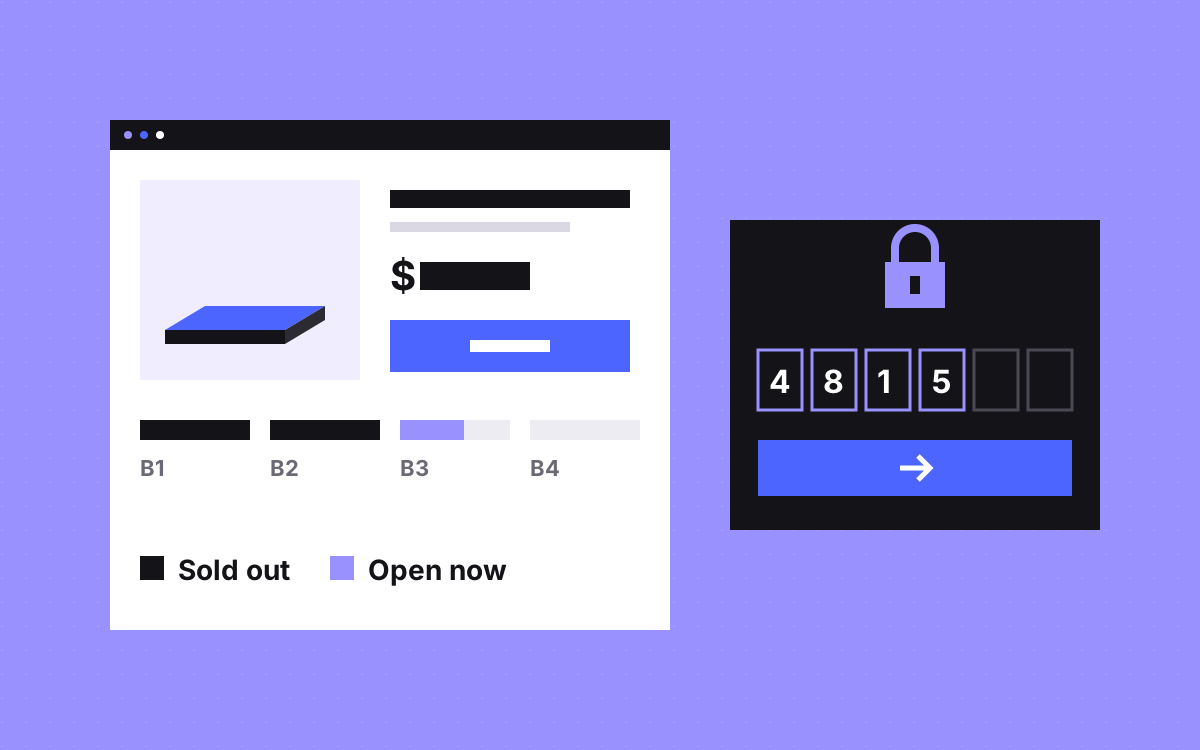
- Shopify stays the source of truth for stock, prices, orders and checkout. Webflow shows the pages.
- A small API between them decides which batch is open, returns the price, message and progress, and builds the checkout link.
- A batch opens on its own because the API reads stock, not because someone flips a switch on launch day.
- Check referral codes on the server, never in browser code, and only hand out a checkout link after a valid code.
- Shopify blocks the sale of tracked stock at zero by default, so its checkout stays the final gate even if the page is a few seconds behind.
The short answer
Keep Shopify in charge of products, stock, prices, orders and checkout. Build the pages in Webflow. Put a small API between them that reads stock from Shopify, works out which batch is open, and sends the page the price, the message, the progress bar numbers and a checkout link for that batch. Batches then open on their own when the one before sells out. If buying is invite only, the same API checks the referral code before it hands out a checkout link.
We built this for a sleep technology brand we work with. If you are still deciding whether Webflow in front of Shopify is right for you, read Webflow front end with Shopify checkout: when it fits first. This post goes one level deeper, into the batch and referral logic.
Who owns what
| Part | Lives in | Job |
|---|---|---|
| Products, stock, prices | Shopify | The only place these are edited |
| Batch and badge text | Shopify custom product data | Messages the page shows per batch |
| Pages, story, specs layout | Webflow | Design, copy and motion |
| Batch rules, codes, links | A small API | Decides what the page shows and who can buy |
| Payment and orders | Shopify checkout | Takes the order and counts the stock down |
In our build, the API runs on Webflow Cloud and reads from the Shopify API. Prices and messages change in Shopify without anyone touching Webflow.
Write the batch rules down first
Before any code, write the rules as a short list the client signs off. Ours looked like this, with the unit counts left to the client:
- Batch 1 has a fixed number of units.
- Batch 2 opens when batch 1 sells out. Fixed number of units.
- Batch 3 opens when batch 2 sells out. Fixed number of units.
- Batch 4 opens when batch 3 sells out. No limit.
- The higher model has its own limit, counted apart from the batches.
Each batch has its own price and its own message. Now the decision the API makes is simple: the open batch is the first one in order that still has stock. The last batch has no cap, so there is always an answer.
One way to model this in Shopify is to give each batch its own variant or product with tracked stock, so the numbers live where orders already count them down. Pick whatever your catalogue makes clearest, but keep one rule: stock is counted in Shopify, never in a Webflow CMS field.
What the API sends the page
For each product, the page asks the API one question: what can a visitor buy right now? A useful answer holds:
- The open batch and its name.
- Price from Shopify, formatted for display.
- Message for that batch, such as a short note on when it ships.
- Progress: units claimed and units in the batch, so the bar can fill.
- A checkout link for that batch and product, or nothing if buying needs a code first.
When a unit sells, Shopify counts the stock down, the next answer shows a fuller bar, and when the batch reaches zero the next batch appears with its own price and message. Nobody has to be awake at midnight to switch it.
The last unit problem
Two people can look at the last unit at the same moment. The page cannot settle that. Shopify can. Shopify's help pages say that tracked stock at zero counts as out of stock and, by default, customers cannot buy it until stock is added. So:
- Turn on stock tracking for every limited batch.
- Leave Continue selling when out of stock off for limited batches. That setting exists for preorders and would let a batch go past its limit.
- Treat the progress bar as a guide, and the checkout as the final word.
- Write a friendly sold out message for the moment someone reaches checkout too late, with a link back to the next batch.
Checkout links per batch
In our build, the site makes a checkout link for the open batch and the chosen product, and Shopify takes the order from there. Two habits help:
- Build the link when the visitor clicks, not when the page loads. If a batch closes while the tab is open, the click still lands on the right batch.
- Never trust a price on the page. Shopify charges what Shopify says. The page only shows it.
The link formats Shopify supports, and which ones it now calls legacy, are covered in our Webflow and Shopify post. Check Shopify's current docs before you build, because these change.
Referral codes that open buying
In our build, buying needs a 6-digit referral code. A referral link fills the code in for the visitor, or they type it in. Here is one way to make that safe:
- Check the code on the server. A list of valid codes in browser JavaScript can be read by anyone.
- Only return the checkout link after a valid code. The button can be on the page, but the link should not be.
- Slow down guessing. Six digits is a million combinations, which a script can work through. Limit attempts per visitor and log failures.
- Keep the code through the visit. If it arrived in a link, store it for the session so it is still filled in after the visitor reads the specs page.
- Say clearly what to do without a code, such as joining a waitlist.
What the page shows before the script runs
Product names, the story, specs and images belong in the Webflow HTML. Only live values, such as price, progress and the buy button state, are filled in by script. That keeps the page readable with JavaScript off and gives search engines real content.
- Reserve space for the progress bar and price so nothing jumps when they load. See layout shift.
- Show a neutral state while loading, such as a grey bar and "Checking availability".
- If the API fails, say so and offer a way to get in touch. Never show a stale price as if it were live.
- Cache the API answer for a short time, so a launch spike does not send every page view straight to Shopify. Shopify's API limits can change, so check its current docs for your plan.
Test it before launch
- Set a test batch to one unit, buy it, and watch the next batch open with the right price and message.
- Open the page in two tabs, sell out the batch in one, then click buy in the other.
- Try a wrong code, a right code, a code from a link, and no code at all.
- Try many wrong codes quickly and confirm you get slowed down.
- Turn the API off and check what the page says.
- Change a price and a message in Shopify and confirm the page follows without a Webflow publish.
- Check the page on a phone with a slow connection.
Who edits what after launch
The team edits pages in Webflow and products, prices and batch messages in Shopify, each in the tool made for it. The rules themselves, such as the order of batches, live in the API code, so changing them is a small developer task. Write down who owns that code and where it deploys from, or the setup will be hard to change a year later. Our post on what breaks after launch covers ownership in more detail.
What to do next
Write your batch rules as a numbered list, decide whether buying needs a code, and check that a plain Shopify theme really cannot do the job. If you still want your own design on Webflow with Shopify behind it, see Shopify development and Webflow development, or tell us about your launch. We will tell you honestly if a theme is the better answer.

Terms used: Webflow, Webflow Cloud


