


- Webflow's form notifications are set up for your own team. To email the person who filled in the form, you add a sending service.
- We use Brevo through a small API on Webflow Cloud, deployed from GitHub, and have connected forms to Brevo this way on more than one site.
- Webflow's form_submission webhook includes a localeId, which tells you which language version of the site the form came from.
- Keep one Brevo template per language and pick the template ID from the locale. English submissions get the English email, Spanish the Spanish one.
- Verify the webhook signature, keep keys in secrets, and make sure a retry never sends the email twice.
The short answer
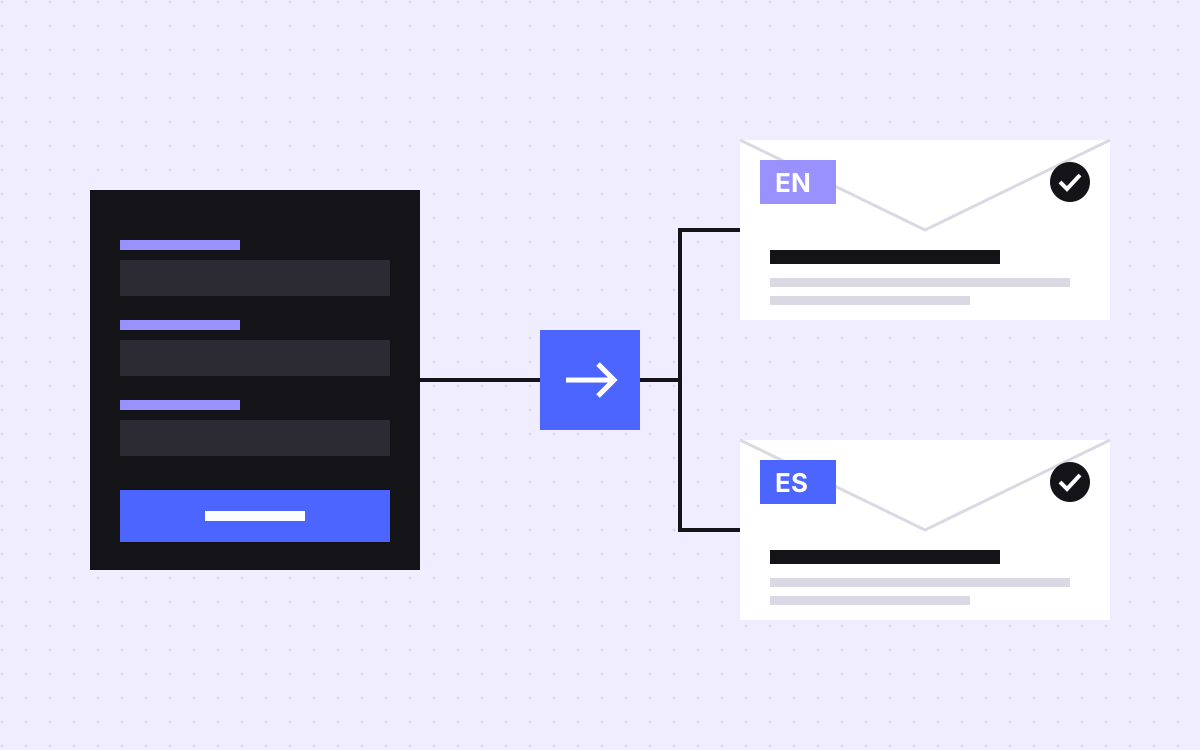
Webflow's own form notifications are set up to tell your team about a new submission. To send a thank-you email to the person who filled in the form, add a sending service. We use Brevo with a small API that we host on Webflow Cloud and deploy from GitHub. When a form comes in, the API works out which language version of the site it came from, picks the matching Brevo template, and sends the email. On a site in English and Spanish, a Spanish submission gets the Spanish email and an English one gets the English email.
We built this for a client site in English and Spanish, and we have connected Webflow forms to Brevo through an API like this on more than one site.
What Webflow's form emails do today
Webflow's help page on form submissions describes these notifications:
- By default they go to the email address on your Webflow account.
- Each form has its own settings: recipients in a To field, sender name, reply-to, subject and message.
- The Reply to field can use form fields such as
{{Email}}, so when your team hits reply, the answer goes to the visitor. - On the free Starter site plan, notifications go to up to five recipients, all Workspace members.
- A custom form action URL stops Webflow's notifications, because the form no longer goes through Webflow.
The page describes emails to your team, not a confirmation to the visitor. Features change, so check Webflow's current form settings before you build. If a native option has appeared, use it.
How the pieces fit
- The Webflow form collects name, email and message on each language version of the site.
- Webflow processes the submission as normal, so your team's notification still arrives.
- A webhook sends the submission to your API. One clean way is Webflow's
form_submissionwebhook. - The API checks the request is really from Webflow, picks the language and calls Brevo.
- Brevo sends the thank-you email from a template, and can also add the person to a contact list.
Because the form still goes through Webflow, nothing else about it changes.
Picking the language
Webflow's developer docs list a localeId in the form_submission payload: the ID of the locale the form was sent from. It is empty for the primary locale and for sites without Localization. That gives a simple lookup:
| localeId in the payload | Language | Brevo template |
|---|---|---|
| Empty (primary locale) | English | Thank you, English |
| The Spanish locale's ID | Spanish | Thank you, Spanish |
| Anything else | Fall back to English | Thank you, English |
Keep that map in one config file, not scattered through the code. Adding a third language is then one line and one new template.
The Brevo side
Brevo's developer docs describe what you need:
- Send. A POST to Brevo's transactional email endpoint, with your API key in the
api-keyheader. - Templates. Pass a
templateIdwith each request, so each call can use a different template. Make one template per language. - Personal details. Pass values in
paramsand use them in the template as{{params.firstName}}. - Contacts, if wanted. Brevo's contacts endpoint can create or update a contact, add it to lists with
listIds, and update an existing contact whenupdateEnabledis true.
Sending a thank-you for a form someone just filled in is one thing. Adding them to a marketing list is another, and may need their consent where they live. Get advice on what applies to you; this post is not legal advice.
Keep it safe and send once
- Verify the webhook. Webflow's docs say webhooks created through the API carry
x-webflow-signatureandx-webflow-timestampheaders that you can check with an HMAC. Webhooks created in the dashboard do not include them, so create yours through the API. - Reject old requests. The docs suggest refusing requests older than five minutes.
- Keep keys secret. The Brevo key and the webhook secret live in the API's environment secrets, never in the Webflow page.
- Send once. Webflow retries a webhook that does not get a 200 response. Store each event's ID and skip ones you have already handled, so a retry never sends a second thank-you.
- Watch for failures. Webflow's docs say a webhook that keeps failing is turned off, with an email to you. Make sure that email reaches someone.
Where the API runs
The API is small: one endpoint that receives the webhook, a config file with the language map, and a call to Brevo. We host it on Webflow Cloud and deploy it from a GitHub repository, so every change is a commit with a history, and the site and the API sit with the same company.
A few habits make it easy to look after:
- One repository per site, with a short readme that lists the form names, the template IDs and who owns the Brevo account.
- Template IDs in config, not in code, so a new template does not mean a code change.
- A log line per email with the event ID, the language picked and Brevo's response, without the visitor's message. When a client asks why someone did not get an email, you can answer in a minute.
- A staging copy pointed at a test Brevo list, so nobody on the real list gets a test email.
Any small server that can receive a webhook and keep secrets would do the same job. Pick the one your team already runs.
Writing the two emails
- Translate with a person, not only a tool. A thank-you in stiff Spanish undoes the point of sending it in Spanish.
- Say what happens next and when, in plain words.
- Match the site. Same tone, same names, links to the same language version of the site.
- Keep the subject short so it fits on a phone.
- Set up your sending domain as Brevo's docs describe, so the email comes from your brand and is less likely to land in spam.
Test before launch
- Send the form on the English site and check the English email arrives.
- Send it on the Spanish site and check the Spanish email arrives.
- Check your team's Webflow notification still arrives for both.
- Send a request to the API without a valid signature and confirm it is refused.
- Replay the same event and confirm no second email goes out.
- Check names with accents and long messages come through cleanly.
- Read both emails on a phone.
What to do next
List the forms on your site, the languages each one runs in, and what the visitor should hear back. Then write the emails before anyone writes code. If you want help, see our integrations work, which starts at $250, or tell us about your forms. If your site is not localised yet, start with which pages to localise first.

Terms used: Webflow, Webflow Localization


