- Clicks alone undercount AEO, because people can get an answer, or your name, with no visit.
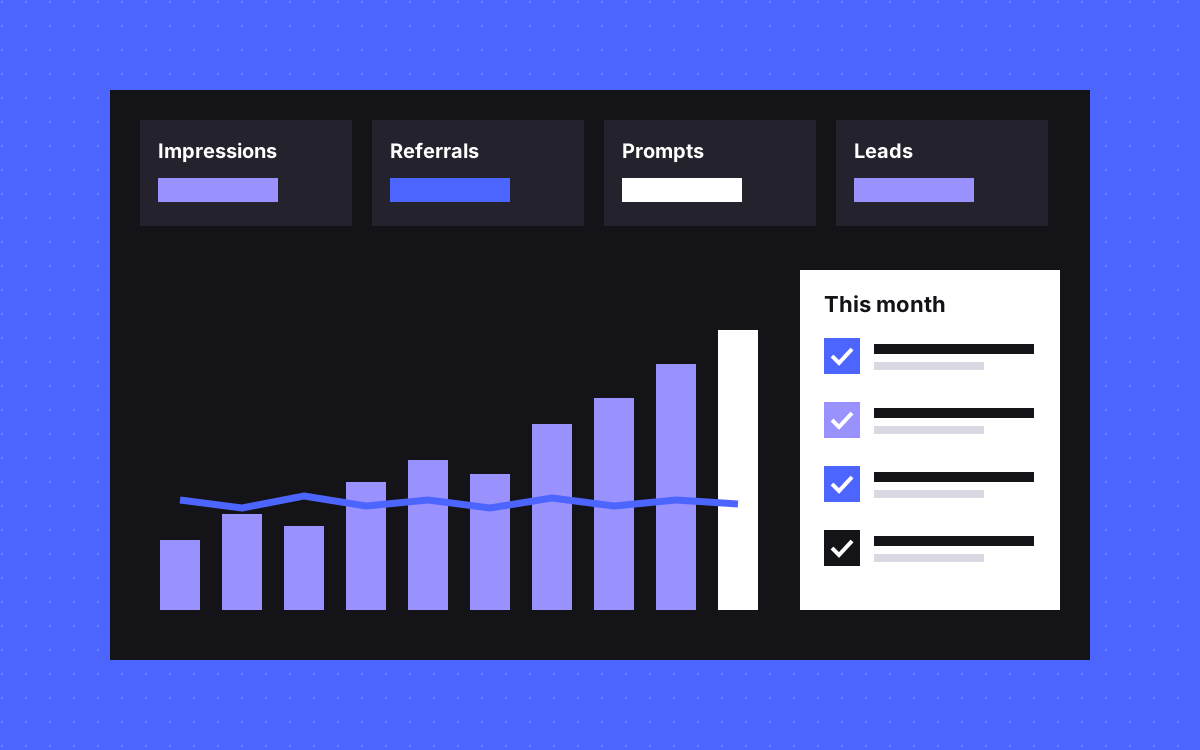
- Track four signals: AI impressions in Search Console, AI referrals, a fixed prompt list, and what leads tell you.
- The Search Console report for generative AI shows impressions. AI clicks sit inside normal Web search data.
- Referral numbers are a floor, as some AI visits arrive with no referrer.
- Judge the trend together with leads and sales. One prompt on one day proves nothing.
The short answer
To measure AEO when clicks disappear, track a small scorecard of four signals every month: impressions in the Search Console Generative AI report, referral visits from AI tools, a fixed list of buyer prompts that you test by hand, and what new leads say about how they found you. No single number is reliable. Read them together, next to leads and sales, and look for a trend over months.
Why clicks undercount the work
An AI answer can do part of your marketing without sending a visit. A buyer may see your name in an answer, then search for your brand a week later, or come back directly. In your analytics that may look like brand search or direct traffic. That gap is the same one behind zero click search.
So "AI traffic is small" and "AI has no effect" are different statements. Your numbers can prove the first one, but they cannot prove the second. Google also suggests looking at conversions and overall value, such as sales and signups, and not only clicks.
The scorecard
| Signal | Where it lives | What it tells you | Main weakness |
|---|---|---|---|
| AI impressions | Search Console, Generative AI report | How often Google showed links to you in AI features | Google only, no click data listed |
| AI referrals | Analytics, session source | Visits and conversions from AI tools | Some visits have no referrer |
| Prompt checks | A shared sheet, tested by hand | Whether you are named, and next to whom | Answers vary, small sample |
| Lead source | Form field, sales call notes | What buyers remember | Memory is imperfect |
| Brand search | Search Console, queries with your name | Rising interest from anywhere | Has many possible causes |
Keep it on one page. A scorecard that takes a day to fill in stops being filled in. Our AI visibility entry explains the term.
Signal 1: Search Console
Google's Generative AI performance report shows impressions for AI Overviews and AI Mode. You can view it by page, country, date and device. The help page does not list clicks or queries as part of the report, so check the current version when you set it up. If you cannot see the report, your site may have too few impressions, or it may be excluded from these features.
Clicks are elsewhere. Google counts traffic from its AI features in the normal Performance report under the Web search type, mixed in with other Search traffic. Its counting rules also say that all links in an AI Overview share one position, so position data needs care.
What to record each month: total AI impressions, and the ten pages with the most. Pages that show up often here are the ones worth keeping sharp and correct.
Signal 2: referrals in analytics
In GA4, build a report on session source, and filter it for AI tools. These hostnames are things to check for in your own data, not a full or official list:
chatgpt\.com|perplexity\.ai|claude\.ai|gemini\.google\.com|copilot\.microsoft\.com
Add any other sources you see, drop any that never appear, and update the list as tools change. Then look at conversions from those sessions as well as visit counts. A small number of visits that turn into leads tells you more than a large number that leave at once.
Treat this figure as a floor. Some visits arrive with no referrer and land in direct traffic. It also relies on your analytics being right to begin with, and consent choices affect what gets recorded. If you are not sure about your setup, start with our tracking setup guide.
Signal 3: a fixed prompt list
This is the only way to see what buyers may actually read. Done casually, it misleads. Done with the same rules each month, it shows direction.
- Write 15 to 25 real questions, taken from sales calls and your own search data. Do not write "best [your brand]".
- Mix the types: category, comparison, cost, and problem questions.
- Choose the tools your buyers use, and write them down.
- Run each prompt in a fresh chat, ideally logged out or with memory off. Personal history can colour the answers.
- For each, record four things: were you named, were you linked, which page was cited, and which other brands appeared.
- Keep the wording fixed, month to month. Add new prompts in a separate list.
Answers change from one try to the next. Run the most important prompts more than once, and report them as "named in some runs" instead of a false yes or no.
Signal 4: ask people
Add a free text "How did you hear about us?" field to your main form, and ask again on the first call. People often name the tool, the question or a friend. Free text is better than a dropdown here, since you learn the words they use, and you do not push them towards an answer.
Keep the raw answers. Read them each month, then count how many mention an AI tool. It is a simple signal, and it is the one closest to money.
How to read the signals together
| Pattern | Likely meaning | Next step |
|---|---|---|
| AI impressions up, clicks flat | You appear more, but people get what they need there | Check brand search and leads before you worry |
| Impressions flat, referrals up | Growth from tools outside Google | See which pages they land on and improve them |
| Named in prompts, no referrals | Mentions without links, or the visits lose their referrer | Check the lead source field |
| Rivals named, you are not | Others have clearer pages or more mentions | Read the cited pages, then fill the gap with real detail |
| Everything flat | No change yet, or the work is not reaching the right pages | Run the access and content checks again |
These are starting points, not proof. Several things change at once on any live site, so write down what you shipped and when. Then you can see what came before each change in the numbers.
What not to report
- One screenshot of an answer. It shows that it happened once.
- A single visibility score from a tool you cannot audit. Ask which prompts, how many runs, and in which locations. Google also warns that no third-party tool has access to its internal ranking or AI systems.
- AI traffic alone as success. Tie it to leads.
- Credit for every rise. Launches, seasons and press also move these numbers.
Before you measure, check you can be read
A flat scorecard might mean a block, not a content problem. Check that pages are indexed and that crawlers can reach them, first. Our AEO score tool and our post on getting cited by ChatGPT and Perplexity are good places to begin.
What to do next
Set up the sheet this week with your first prompt list, and take a baseline before you change anything. Review it monthly, and give it a few months before drawing conclusions. If you would like this set up with your tracking, see analytics and tracking or SEO and AEO, or get in touch. We can help you measure honestly. We cannot promise what AI tools will say about you.

Terms used: Zero-click search, AI visibility