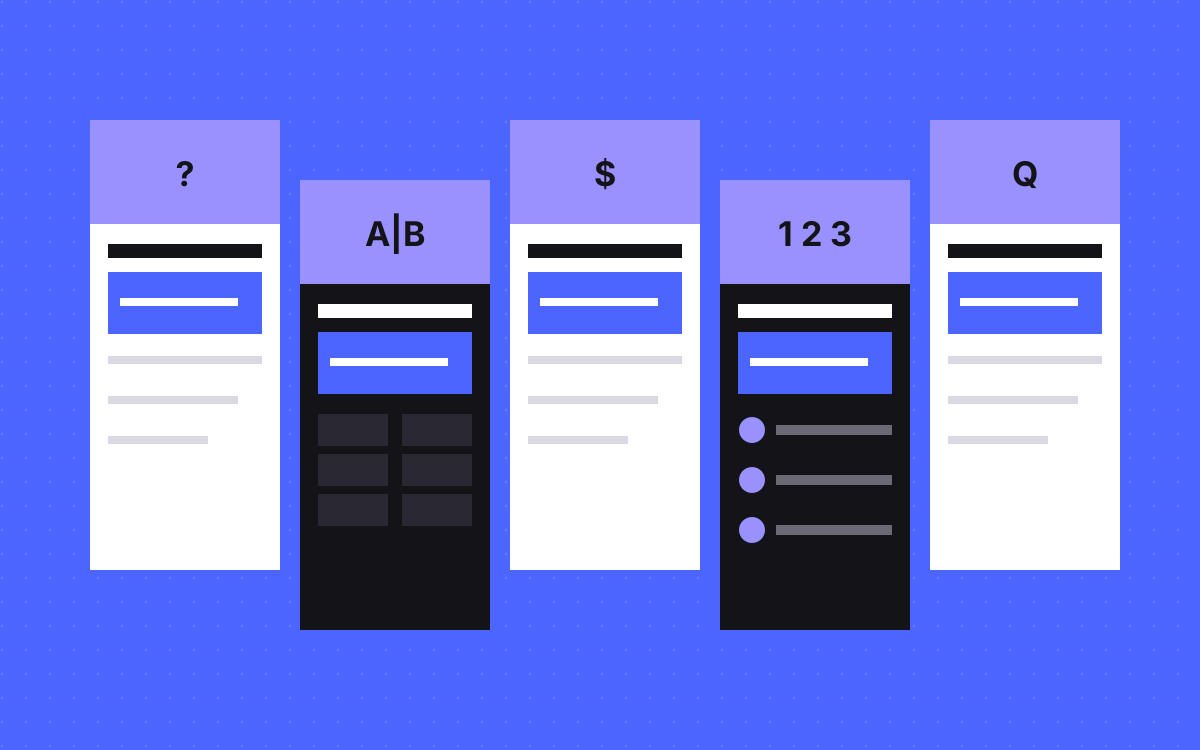
- Most buyer questions fall into five page types: definition, comparison, cost, how-to and single question.
- Each template opens with a direct answer that still makes sense when lifted out of the page.
- Google says you need no special phrasing for its AI features. These layouts are for readers first, and they also make clean quotes.
- A template only gives you the shape. First-hand detail is what makes the page worth using.
- Do not spin out one thin page per query variation. Google treats that as spam when the aim is manipulation.
The short answer
The best page templates for AI answers are five plain formats that match how people ask questions: a definition page, a comparison page, a cost page, a how-to page and a single-question page. Each one opens with a direct answer in one or two sentences, then backs it up with specifics such as a table, steps or conditions. No layout can promise a citation. A clear layout simply makes your answer easier to find, check and quote.
One honest note before the templates
Google says you do not need to write in a special way for its AI features, and that you do not need to split content into small chunks. So these are not secret formats. They are good page structure, written for a reader who wants the answer first.
They earn their place for two reasons. Readers get what they came for. And other tools, which share less about how they work, get sentences that make sense alone. That is the idea behind answer-first content, and our guide to what AEO is has the background.
Pick the template from the question
Write down the question first. The wording usually tells you the page type.
| The buyer asks | Template | Open with | Must include |
|---|---|---|---|
| What is X? | Definition | X is a [category] that [does what] | An example and when it matters |
| X or Y? | Comparison | Pick X if..., pick Y if... | A table and honest limits |
| How much does X cost? | Cost | A real price or range | What moves the price |
| How do I do X? | How-to | The outcome and the main steps | Numbered steps and pitfalls |
| Can I, will it, what if? | Single question | Yes, no, or it depends on... | The condition and the next step |
Template 1: the definition page
Use it for terms your buyers meet while they research.
- One-sentence definition. Name the term, its category and what it does.
- Plain example. Show it in a situation the reader knows.
- Why it matters to them. Connect it to money, time or risk.
- How it differs from the term it gets mixed up with.
- Links to the guide or service that goes deeper.
Keep it short. A definition padded to look long is worse than a short, exact one. Our llms.txt entry is one example of the format.
Template 2: the comparison page
People often ask AI tools to compare options, so this page deserves care.
- A verdict with conditions. "Pick A if you need this. Pick B if you need that."
- A table of the factors that really decide it. Leave out rows where both options are the same.
- Where each option wins, including the one you do not sell.
- Costs and switching effort, with a pointer to current vendor docs for anything that changes.
- A short scenario for each type of buyer.
The honest parts do the most work. A page that never lets the other option win reads like an advert. See Webflow vs Astro or our comparison hub for how we do this.
Template 3: the cost page
Cost is among the most asked questions, and many sites dodge it. That leaves a gap for anyone willing to answer.
- A real number or range in the first sentence, if you can publish one.
- What is included at that price.
- What moves the price up or down, as a short list.
- What sits outside the quote, such as licences or third-party tools.
- A way to get an exact figure.
Keep prices in one place and pull them into pages, so an old number never survives in a corner of the site. We keep ours in a single data file behind our pricing page. If you truly cannot publish a price, explain what sets it and give a typical scope.
Template 4: the how-to page
- The outcome, and who the guide is for.
- The steps at a glance, as a numbered list.
- One section per step, with what to do and how to know it worked.
- The mistakes you have really seen.
- When to stop and get help.
Steps are where first-hand detail shows. "Check your redirects" is advice anyone could write. "List every old URL, match it to a new page, then test the list before launch" tells the reader what to do.
Template 5: the single-question page
Some questions come up on every sales call and deserve their own short URL.
- A direct answer first, even if it is "it depends on one thing".
- The condition that changes the answer.
- A short example.
- The next question, linked.
We built our own set like this. Each page on our FAQ hub covers one buyer question, such as will I lose rankings when I change platform?. Every statement on them was checked against our pricing, terms and service pages.
A warning about scale: only do this for questions with distinct answers. If ten pages would say the same thing with the words swapped, write one page. Google warns against making pages for every query variation mainly to manipulate its results or AI responses.
A worked rewrite
Here is a made-up opening for a care plan page, before and after.
- Before: "Your website is one of your most valuable assets. In a fast-moving digital landscape, keeping it up to date is more important than ever. That is why we offer a range of solutions."
- After: "A care plan pays a team a fixed monthly fee to handle your site's updates and fixes. It suits teams with a steady stream of small changes. If you change your site only a few times a year, hourly work is usually cheaper."
The second version answers the question, says who it fits and admits when it does not. Lifted out of the page, it still makes sense. That is the test to apply to every opening.
Markup and checks for every template
- One clear h1, then headings that say what the section answers.
- The answer in the HTML as text, not in an image, and not added later by a script.
- A named author and a visible company, so readers know who stands behind it.
- Schema that matches the page. Article or Service, BreadcrumbList, and FAQPage only when the questions are visible. Our schema guide and free schema generator can help.
- Internal links to the next question, so people and crawlers can follow the thread.
What to do next
List the ten questions you hear most on sales calls. Match each to a template using the table above, then start with the one closest to a buying decision, which is usually cost or comparison. Our SEO and AEO work covers this, or send us your site and we will tell you which pages we would write first. We cannot promise citations. We can make your answers clear and easy to check.

Terms used: Answer-first content, Core Web Vitals