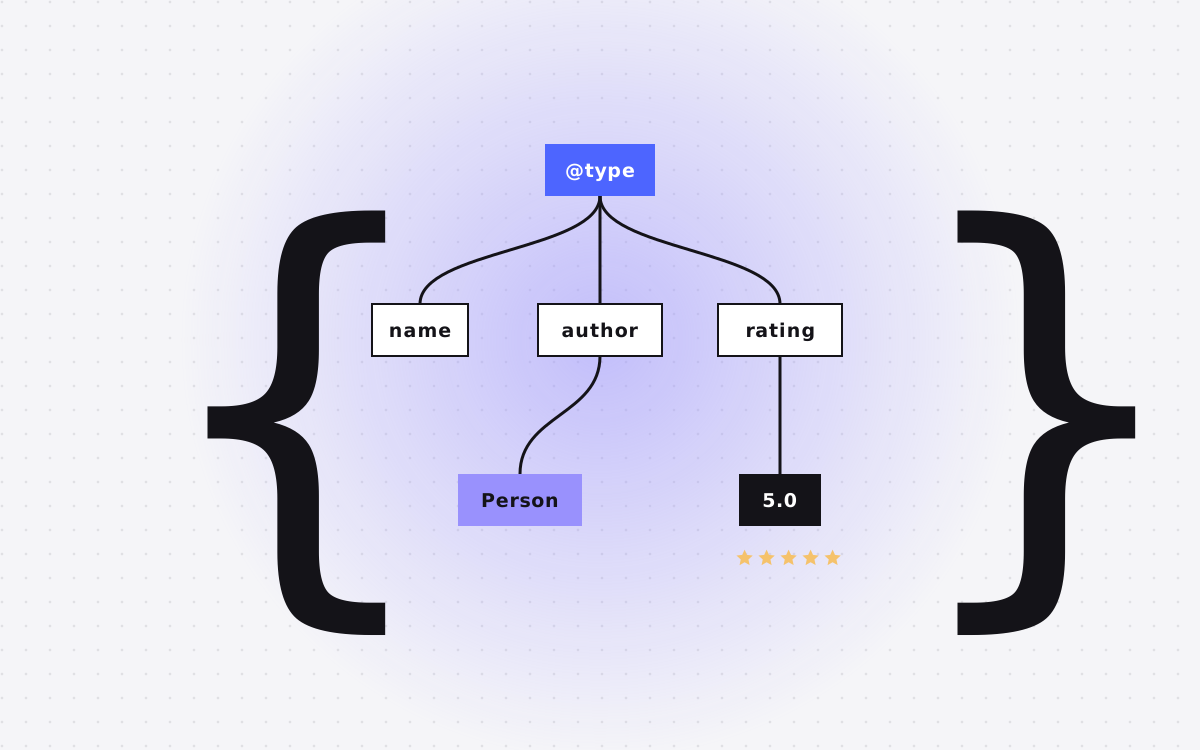
- Schema markup is structured data, usually written in JSON-LD, that tells search engines and AI tools exactly what a page is about: your company, a service, an article, a product or a set of questions.
- Most marketing sites need five types: Organization, WebSite, BreadcrumbList, Article or BlogPosting, and Service or Product. Add FAQPage where you have real FAQs.
- Schema does not guarantee rich results. It helps machines understand your pages, which supports both SEO and AEO.
- Only mark up what is visible on the page and true. Misleading markup can be ignored or count against you.
- Generate schema from your CMS or data files, not by hand on every page, and test it with Google's Rich Results Test.
What schema markup is: the short answer
Schema markup is a block of structured data added to a web page that tells search engines and AI tools what the page is about in a format machines can read without guessing. It uses a shared vocabulary from schema.org, and the most common way to add it is JSON-LD, a small script in the page's code. For a marketing site, schema says things like "this is the company Kookies, this is its logo, this page is a service, this is a blog post by Abdul Quadir".
Search engines can often work these facts out on their own. Schema removes the guesswork. That clarity helps your pages show up correctly in search results, can make them eligible for some rich results, and gives AI answer engines clean facts to work with when they describe or cite you.
This is a practical guide for marketing sites: which types matter, what they look like, how to add them in Webflow and in a coded site like Astro, and how to test that it works.
Why schema matters for SEO and AEO
Schema markup is not a direct ranking factor in the sense that adding it lifts you up the results. Its value is in understanding and presentation:
- Clear entities. Organization schema links your name, logo, website and social profiles together, which helps search engines understand your brand as one entity.
- Rich results. Some types, like breadcrumbs, articles, products and reviews, can make your results eligible for richer displays. Eligibility is not a guarantee.
- Better context for AI. AI search tools read pages to build answers. Clean, consistent facts in structured data and on the page make it easier for them to describe you accurately.
- Consistency. Writing schema forces you to state your facts clearly, such as name, address, services and prices, which often exposes inconsistencies across the site.
Rich result rules change. For example, Google no longer shows FAQ rich results in Search. That does not make the markup useless, because it still describes your content clearly. Just do not add schema only to chase a specific display.
Schema also helps you, not just search engines. Once your facts live in one structured place, it is easier to keep the footer, the about page, your profiles and your llms.txt file saying the same thing.
The schema types most marketing sites need
You do not need dozens of schema types. Most marketing sites are well covered by these:
| Type | Where it goes | What it says |
|---|---|---|
| Organization | Every page, or the home page | Your company name, logo, URL, contact and social profiles |
| WebSite | Home page | The site name and URL |
| BreadcrumbList | Every page below the home page | Where the page sits in the site structure |
| Service | Service pages | The service, who provides it and where |
| Product or SoftwareApplication | Product and pricing pages | What you sell and, where public, the price |
| Article or BlogPosting | Blog posts and guides | Headline, author, dates and publisher |
| FAQPage | Pages with a real visible FAQ | The questions and answers on the page |
| LocalBusiness | Only if you serve customers at a physical location | Address, hours and contact |
Start with Organization, BreadcrumbList and Article. Add Service or Product next, then FAQPage where the FAQ is real and visible.
What JSON-LD looks like
JSON-LD is a script tag with a JSON object inside. It does not change how the page looks. Here is a simple Organization example:
<script type="application/ld+json">
{
  "@context": "https://schema.org",
  "@type": "Organization",
  "@id": "https://www.example.com/#org",
  "name": "Example Co",
  "url": "https://www.example.com",
  "logo": "https://www.example.com/logo.png",
  "email": "hello@example.com",
  "sameAs": [
    "https://www.linkedin.com/company/example",
    "https://x.com/example"
  ]
}
</script>
A few details are worth knowing:
- @id gives the entity a stable identifier. Other schema on your site can point to it, for example as the publisher of a blog post, so everything connects.
- sameAs lists your official profiles. It helps link your brand across the web.
- You can have several JSON-LD blocks on one page, such as Organization, BreadcrumbList and BlogPosting together.
Service, article and FAQ examples
The other types follow the same pattern. A blog post usually looks like this in outline:
{
  "@context": "https://schema.org",
  "@type": "BlogPosting",
  "headline": "Your post title",
  "description": "A one sentence summary",
  "datePublished": "2026-08-22",
  "dateModified": "2026-10-28",
  "author": { "@type": "Person", "name": "Author Name" },
  "publisher": { "@id": "https://www.example.com/#org" },
  "mainEntityOfPage": "https://www.example.com/blog/your-post"
}
For a service page, the Service type names the service, its provider (pointing to your Organization by @id) and the area you serve. If your price is public, you can add it as an offer. If it is quoted per project, leave the price out rather than guessing.
For FAQPage, each question and answer on the page becomes a Question with an acceptedAnswer. The text in the schema should match the visible FAQ. If you would not show it to a visitor, do not put it in the markup. This very page uses BlogPosting, BreadcrumbList and FAQPage built from the same data that renders the article.
How to add schema markup in Webflow
Webflow does not add most schema types for you, but it gives you good places to add it:
- Site wide schema. Add Organization and WebSite JSON-LD in the site settings custom code, in the head, so it appears on every page. Or put it on the home page only.
- Static pages. Add page specific schema, such as Service or FAQPage, in each page's custom code settings.
- CMS templates. On collection template pages, you can insert CMS field values into the custom code. That means one BlogPosting template fills in the headline, dates, summary and image for every post automatically.
- Embeds. For FAQs built in a CMS collection, an embed element inside a collection list can output question and answer pairs, though it takes care to produce valid JSON.
Watch out for special characters. Quotes and line breaks in CMS fields can break JSON. Keep summary fields plain text, and test a few real items, not just one. Our Webflow SEO checklist lists where schema fits among the other launch checks.
How to add schema in Astro and coded sites
On a coded site, schema is easier to keep accurate because you can generate it from the same data that builds the page. In Astro, for example, a layout component can take the page's title, description, dates and FAQ list as props, build the JSON-LD objects in code, and print them in the head.
The big advantage is a single source of truth. Your FAQ data file renders the visible FAQ and the FAQPage schema. Your services data renders the service cards and the Service schema. Change a price or an answer once, and both the page and the markup update together. Nothing drifts.
If you use a headless CMS like Sanity, the same idea applies: content editors fill in fields, and the site turns them into both the page and its structured data. Our guide to Astro and Sanity for marketing teams explains that setup in plain words.
Rules that keep schema safe
Search engines publish guidelines for structured data. The spirit of them is simple: describe the page honestly. In practice:
- Mark up only what is visible. Schema should describe content a visitor can see on the page.
- Keep it true. No made up ratings, no reviews you wrote yourself, no prices you do not actually charge.
- Match the facts everywhere. Name, email, logo and social links should be the same in schema, the footer and your profiles.
- Use the right type. Do not mark up a service page as a product just to chase a rich result.
- Do not mark up self serving reviews on your own organization or services in hopes of getting stars in search.
Misleading markup is often simply ignored, and in serious cases can lead to a manual action. Honest markup has no downside.
How to test your schema
Test before launch and again after any template change:
- Google's Rich Results Test. Paste a URL or code to see which rich result types Google detects and any errors or warnings.
- Schema Markup Validator. The validator at schema.org checks your markup against the full vocabulary, including types Google does not use for rich results.
- Search Console. After launch, the enhancement reports show valid items and errors across the whole site, such as breadcrumbs or articles.
- View source. Check the live page source to confirm the JSON-LD is there and the values are filled in, especially on CMS pages.
Warnings are not always problems. A missing optional field may be fine. Errors, though, usually mean the markup is ignored, so fix those first.
Build testing into your routine. Any time a developer edits a CMS template or the site wide custom code, run a post and a service page through the tools again before publishing.
Schema and AI answer engines
AI tools like ChatGPT, Perplexity and Google's AI features build answers by reading pages. They do not all read schema the same way, and none of them promise to use it. But structured data supports the things that do help you get cited:
- Clear, consistent facts about your company and what you offer.
- Author and date information that shows content is real and current.
- FAQ content that matches the questions people ask.
Think of schema as one layer of a wider AEO setup that also includes answer-first writing, readable HTML, an llms.txt file and letting AI crawlers in. Our guide to what AEO is covers the rest.
Common schema mistakes we fix
When we audit marketing sites, the same schema problems come up again and again:
- Copied from another site. Schema pasted from a template still names the wrong company, the wrong logo or a placeholder URL.
- The same markup on every page. A site wide block marks every page as an article, or puts one FAQ on all pages, even where that FAQ is not shown.
- Out of date facts. An old email address, a removed social profile or a price that changed months ago.
- Broken JSON. A stray comma or an unescaped quote from a CMS field means the whole block is ignored. One broken item can hide behind many working ones.
- Several plugins or tools adding the same types. Two Organization blocks with different details confuse rather than clarify.
- Fake ratings. Star ratings added to service pages with no real, visible reviews behind them.
- Dates that never change. dateModified stuck on the launch date, even after a post is fully updated.
Most of these come from schema written by hand and then forgotten. Generating it from your CMS or data files, and testing it after every template change, prevents nearly all of them.
A starter plan for your site
If you have no schema today, this order gets you the most value for the least work:
- Organization (with @id, logo and sameAs) on every page or the home page.
- BreadcrumbList on every page below the home page.
- BlogPosting on every blog post, generated from the CMS template.
- Service on your main service pages, or Product or SoftwareApplication on product pages.
- FAQPage on pages with a real, visible FAQ.
- Test everything, then check Search Console reports monthly.
We add schema to every site we build, generated from data so it stays in sync. If you want it added to an existing Webflow site, our SEO and AEO service or care plan can take care of it. Hourly work is $35 an hour.

Terms used: Schema markup, Webflow