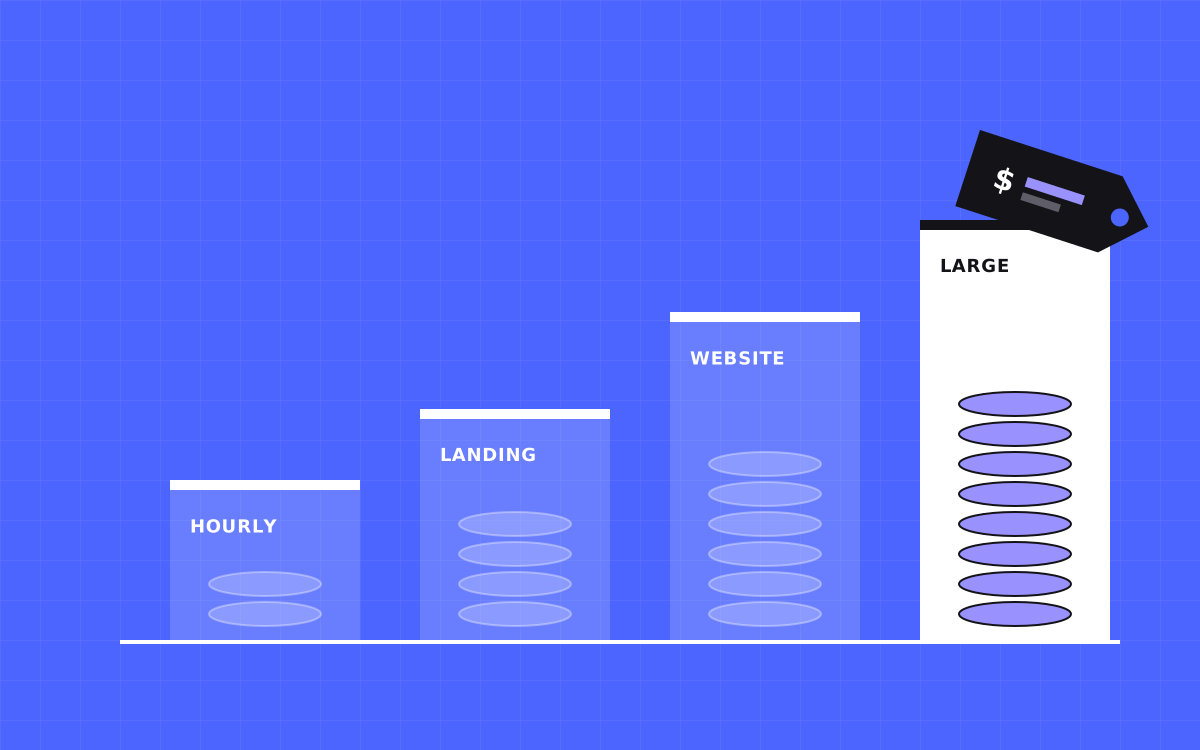
- At Kookies, a Webflow landing page is $500, a website of up to 5 pages starts at $2,500 and a larger site starts at $3,000. Prices are fixed before we start.
- You also pay Webflow for hosting. That is a separate bill from Webflow, and plans change, so check their pricing page.
- Price moves with page count, custom design, CMS size, integrations and migrations.
- First-time clients get $500 off projects of $2,000 or more.
- Ask every quote what is not included. That is where surprise costs hide.
The short answer
A Webflow website costs two things: the build and the hosting. At Kookies, the build is $500 for a landing page, from $2,500 for a website of up to 5 pages, and from $3,000 for a larger site. Hosting is paid to Webflow on a monthly or yearly site plan.
Other agencies price differently, so we can only speak for our own numbers. They are on our pricing page and they do not change per client. You get a fixed quote before work starts.
What you pay Kookies
These are the starting prices for the common projects.
- Landing page, $500. One page for a launch, a campaign or a waitlist. About one week.
- Website, from $2,500. Up to 5 pages, designed and built, with CMS and blog. About 3 to 5 weeks.
- Large site, from $3,000. No page limit, with custom features, integrations and migrations. Usually 6 weeks or more.
- Hourly, $35. For small fixes, advice or work that does not fit a project.
- Care plan, $4,000 a month, or $3,000 a month on a 6-month term, for teams that ship changes every week.
First-time clients get $500 off any project of $2,000 or more.
What you pay Webflow
Webflow hosting is a separate cost. You choose a site plan based on what the site needs, such as CMS items, form submissions and traffic. Webflow also has workspace plans for teams. Prices and limits change from time to time, so check the current numbers on Webflow's own pricing page before you budget.
The site plan is billed to you, in your Webflow account. You own the account and the site. We do not add a markup to Webflow's bill.
What makes a Webflow project cost more
Price follows work, not page count alone. These are the things that move it.
- Design. A site built from a finished Figma file costs less than one where we design every page. See Figma to Webflow.
- CMS size. A blog, a case study library and a team directory each need a CMS collection with templates and filters.
- Interactions. Simple hover and scroll effects are quick. Custom, story-driven motion takes longer.
- Integrations. CRMs, payment tools, member logins and custom APIs add setup and testing.
- Migration. Moving content from another platform, and keeping every old URL working, is real work. A 301 redirect plan is part of it.
- Copy. If we write the words, the project is bigger than if you bring them.
Webflow vs the alternatives on cost
Webflow is rarely the cheapest way to get a site online. A template on a simple builder can cost less on day one. The case for Webflow is control, speed and an editor your team can use without a developer, which can lower the cost of change over time.
We compare the options honestly on our pages for Webflow vs WordPress, Webflow vs Wix and Webflow vs Squarespace. If a simpler tool fits you, we will say so.
Costs people forget
The build is not the whole budget. Plan for these too.
- Content. Photos, copy and case studies take time or money if you do not have them.
- Tools. Email, forms, scheduling, analytics and chat tools often have their own plans.
- Domain and email. Small yearly costs, but they add up.
- After launch. Our projects include 30 days of support for safe changes such as copy, images, colours and link updates. New sections or redesigns after that are new work.
- Ongoing care. Speed, SEO upkeep and regular updates are easier with a plan than as one-off requests.
How to compare quotes
Two quotes with the same total can cover very different work. Ask each agency these questions.
- How many pages and CMS collections are included?
- Is design included, or only the build?
- Who writes the copy?
- Is SEO setup included, and what does that mean exactly?
- Who owns the Webflow account and the files?
- What happens in the first 30 days after launch?
A clear answer to each is a good sign. A vague answer usually becomes an extra invoice later.
How to keep the cost down
In our experience, three things save the most money.
- Bring content early. Waiting for copy is the top cause of delays and extra rounds.
- Start smaller. Launch the pages that earn money first, then add the rest. A site is never finished anyway.
- Decide as a team. One person with the final say beats five people with opinions.
If you only need one page, the landing page service at $500 is the quick route.
A worked example
Take a company that needs a home page, services, about, pricing and contact, plus a blog. That is 5 pages with a CMS. At Kookies it starts at $2,500, with design, build, SEO setup and a training video included. If the team already has a finished Figma design, the work moves to the Figma to Webflow route, which starts at $500 and runs 1 to 4 weeks depending on size.
Now add a case study library, a members area and a CRM integration. That moves the project toward the large site tier, from $3,000, because each extra system needs setup and testing. The point is not the exact number. It is that scope sets the price, and we tell you the scope in writing.
Questions to ask yourself before you ask for a quote
- Do we have a design, or do we need one?
- How many page types do we have, not just how many pages? A blog, a services section and a team page are three types.
- Who will write and approve the words?
- Which tools must connect to the site?
- Do we plan to edit the site ourselves?
- Will the site need more languages later? See localization.
Having answers makes your quote tighter and your project faster. If you do not have them, we can work them out together on a call.
What to do next
Send us a short brief and we will reply with a fixed price and a timeline. If you are not sure what you need, book a 20 minute call and we will talk it through. Our Webflow development page shows what a typical project includes.
More reading: Webflow developer cost, how to choose a Webflow agency and agency or freelancer.

Terms used: Webflow, Core Web Vitals