- Decide each field by one test: does sales read it before the first call, or does it decide who takes the call? If not, drop it.
- A work email and a name are the core. Company, team size or region stay only when someone uses them.
- If you need more answers, ask for the email first and show the rest as a clear second step.
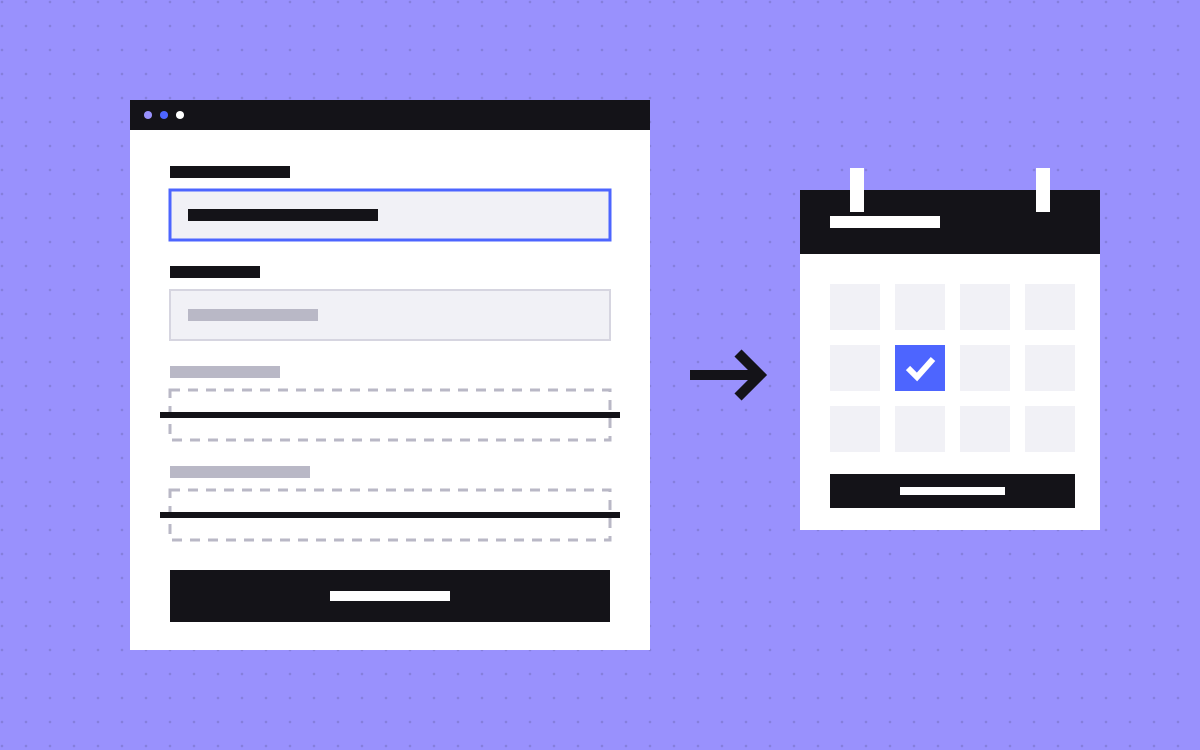
- Ask for a phone number only if someone will call it, and send people to a calendar right after the form.
- No field count is best for everyone. Test changes against booked, good-fit calls, not form sends.
The short answer
Ask only for what sales needs to run the first call: a work email, a name, and one or two answers that decide who takes the call. Drop every field nobody reads before that call. If you need more, ask for the email first and show the rest as a second step. After the send, show a calendar so the buyer can pick a time. Then give every field a visible label, a clear error message and the right autocomplete value, so the form is quick to fill in.
There is no best number of fields that fits every company. Start from this set, then test it against your own booked calls.
Start from the first call, not the CRM
Most long demo forms grow the same way. Someone adds a field because the CRM has a column for it. Nobody removes it later.
Turn it round. Sit with the person who takes the first call and ask three questions about each field:
- Do you read it before the call? If not, it can wait until the call.
- Does it change who takes the call? Region, team size or product line can decide the owner. Those fields earn their place.
- Could you ask it in the first two minutes of the call instead? If yes, ask it there.
A field that fails all three goes. Our post on fixing your demo page first uses the same rule for the whole page around the form.
What to ask, what to drop: a starting set
Use this as a first draft, not a rule. Your sales process decides the final list.
| Field | Keep it when | Drop it when |
|---|---|---|
| Work email | Always. It is how you reply and send the invite | Never |
| Name | Almost always. One name field is enough for most teams | You only send a calendar link and learn the name there |
| Company | Sales looks the company up before the call | The email domain already tells you |
| Team size or region | It decides who takes the call | One person takes every call |
| Phone | Sales really calls, and soon | Every reply goes by email or calendar invite |
| Job title | It changes what you show in the demo | It only fills a CRM column |
| Message or use case | Optional, for buyers who want to explain | You make it required |
| How did you hear about us | Optional, and someone reads the answers | Your tracking already answers it |
For a sense of what large companies do, we counted the fields on the demo and contact sales forms of the Forbes Cloud 100. The median form asks for 6 things on its first step (Forbes Cloud 100, checked 10 November 2026). The full numbers are in our study, How long are the demo forms of top cloud companies? Read it as a picture of common practice. It does not show which forms convert best.
The email-first, two-step pattern
In this pattern the first screen shows one field: work email. The other questions appear after the visitor presses the button. In the same study, 15% ask only for an email first and show the rest after it (Forbes Cloud 100, checked 10 November 2026).
Why teams use it:
- The first step looks small, so starting feels easy.
- You can use the email to decide what to ask next. A known company may need fewer questions.
- If you save the email at step one, you can follow up with people who stop there.
What to watch:
- Be honest about step two. Say "Step 1 of 2" or similar. A surprise second form feels like a trick.
- Say what happens to the email. If you save it before the form is finished, tell people near the field and cover it in your privacy policy.
- Keep step two short. Two steps with six fields each is a long form with an extra click.
- Build it as one form. One form split into steps sends one clean entry. Our guide to multi-step forms in Webflow shows the structure and the script.
The phone field: the trade-offs
The phone field is the one people argue about most. In our study, 53% ask for a phone number (Forbes Cloud 100, checked 10 November 2026). Plenty of large companies ask, and plenty do not. Neither side is clearly right.
| Choice | What you gain | What it costs |
|---|---|---|
| Required phone | Sales can call straight away | Some buyers do not want a call and leave, or type a fake number |
| Optional phone | People who want a call can ask for one | One more field to read past |
| No phone | A shorter form, and the calendar handles the meeting | No way to call if the email goes unanswered |
Our view: ask for a phone number only if someone will call it, and say so next to the field. "We will call you within one working day" is a reason to fill it in. A phone field with no reason looks like a cold call waiting to happen.
If you keep it, build it well. Google's form guidance on web.dev says to use a single input for a phone number, not several parts, and type="tel" to get the right keyboard on phones. MDN notes that a tel input is not checked against a format by the browser, because phone formats vary so much around the world. So do not reject a number only because it does not match the format of one country.
Enrichment: an option, not a magic fix
Enrichment means you ask for less and look up the rest. The visitor gives a work email, and a data tool or a person on your team adds company name, size and industry afterwards.
- What it gives you: a shorter form with the same CRM columns filled in.
- What it does not give you: anything only the buyer knows, such as the problem they want to solve or when they need it.
- Where it falls short: personal email addresses, very small companies and new companies often return little or nothing. Plan for blanks.
- What to check first: that your privacy policy covers it, and that the data is good enough for your market. Run it on your last hundred leads before you remove any field.
You do not need a tool to start. For a low number of leads, someone looking up each company before the call does the same job. We name no tools or prices here on purpose: they change, and the right one depends on your CRM.
After submit: go straight to a calendar
The moment after the send is when interest is highest. "Thanks, we will be in touch" wastes it. Show a calendar instead, so the buyer picks a time while they are still on the page.
How the routing usually works:
- The form sends, and the lead is saved first. Never make saving depend on the booking.
- One or two answers pick the calendar. For example, region picks the team, or team size picks between a sales call and a self-serve link.
- The booking tool opens on the same page or on the thank-you page, with name and email already filled in, so nobody types them twice.
- If the person leaves without booking, an email with the booking link follows.
This is the real reason to keep a routing field: it sends the buyer to the right calendar without a person in the middle. If one person takes every call, you do not need the field at all.
Measure the booking, not only the send. Our guide to tracking booked calls in GA4 covers Cal.com and Calendly.
Labels, errors and autocomplete
A short form can still be slow to fill in. These details make each field quick, and they come from browser and Google documentation, not opinion.
- Visible labels. MDN says a placeholder must not be used instead of a label. It disappears when someone starts typing, and screen readers do not announce it by default. Put the question in a label and use the placeholder only for an example.
- Linked labels. When a label is tied to its field, a tap on the label focuses the field, which gives a bigger target on phones.
- The right type. web.dev's sign-up form guide says the right
typegives the right keyboard on mobile and basic built-in validation. Usetype="email"for the email field. - Errors next to the field. The same guidance says to show problems inline, explain how to fix them, and check a value as soon as it is entered instead of listing every error after the send. Write errors in plain words: "Enter a work email, such as you@company.com".
- No doubled fields. Do not ask for the email twice. web.dev advises against doubling up inputs.
- Mark what is required. The
requiredattribute lets the browser prompt for a missing value. Label optional fields as optional.
Then add autocomplete, so the browser can fill the form from saved details. These values are from MDN's autocomplete reference:
| Field | type | autocomplete |
|---|---|---|
| Full name | text | name |
| First and last name, if split | text | given-name, family-name |
| Work email | email | |
| Phone | tel | tel |
| Company | text | organization |
| Job title | text | organization-title |
| Country | select or text | country-name |
MDN notes that one full name field is generally preferred over split fields, because names are structured in many ways. It also says browsers might need each field to have a name or id and to sit inside a form with a submit button before they offer to fill it. Our accessibility basics post covers the wider checks.
There is no best number of fields. Test.
You will read that three fields is right, or five, or that every field you cut lifts conversions by a fixed amount. We are not going to give you a number like that, because no single number holds for every product, price and buyer.
Both directions have a cost:
- Shorter forms tend to bring more entries, and more of them may be a poor fit. Sales spends time sorting.
- Longer forms tend to bring fewer entries, with more known about each. Some good buyers give up.
So judge the form by what happens after it:
- Write down your current numbers: demo page visits, form sends, booked calls, and calls sales counts as a real fit.
- Change one thing, such as removing phone or moving to email first.
- Run it long enough to see a clear difference. With low traffic, compare a before period and an after period, and be honest that it is a rough read.
- Compare booked, good-fit calls, not form sends. A form that doubles sends and halves fit has not helped.
If you have the traffic for a proper A/B test, run one. Our post on A/B testing in Webflow covers the setup.
What to do next
Open your demo form with the person who takes the first call. Go through the three questions for each field and cut what fails. Add labels, error messages and autocomplete values to what is left. Send people to a calendar after the form, then watch booked calls for a month.
Want help with the form, the routing or the tracking? See Webflow development and analytics and tracking, or send us your demo page.

Terms used: Core Web Vitals, AEO