- A SaaS company usually runs several sites under one brand. Decide host, indexing, rendering, canonical and owner for each one.
- Marketing pages, blog and public docs should be indexable. Anything behind a login should be protected, and kept out of search.
- robots.txt only covers its own host, so each subdomain needs its own file. It does not keep a page out of Google, and it is no privacy tool.
- Docs fail most often on rendering and versions. Put the content in the HTML, and point old versions at the right canonical.
- Run a short check on every release, because product deploys can break marketing pages.
The short answer
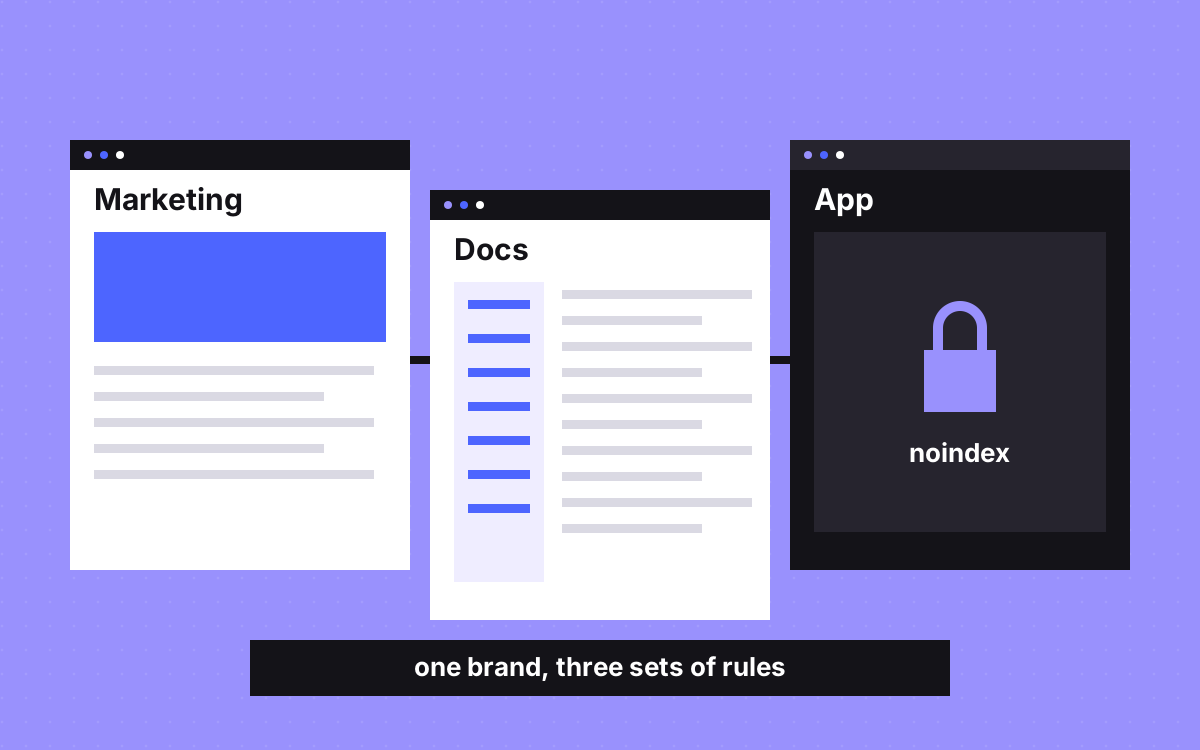
Technical SEO for a SaaS company means treating the marketing site, blog, docs and app as separate surfaces, each with its own rules. Marketing pages, blog and public docs should be crawlable and indexable. The app should sit behind a login and stay out of search. Then make sure the surfaces link to each other with real links, and give each one an owner.
This post is about the technical layer only. For which pages to build, read the pages every SaaS website needs.
Map every surface first
Fill in this table for your own company before you change anything. Where you put each surface is your call. The right column is where we see most trouble.
| Surface | Usual home | Index it? | What usually breaks |
|---|---|---|---|
| Marketing site | example.com | Yes | Staging rules published, weak titles after a redesign |
| Blog | example.com/blog | Yes | Thin tag pages, lost redirects after a move |
| Docs | example.com/docs or docs.example.com | Yes, for current versions | Content only in JavaScript, old versions competing |
| Help centre | help.example.com | Public articles, yes | Thin auto-generated pages, no links from the main site |
| Changelog | example.com/changelog | Your call | Very short entries, one page each |
| App | app.example.com | No | Login and share pages in results |
| Status page | status.example.com | Your call | Rarely worth any work |
Subfolder or subdomain
People argue about this a lot. We make no claim about which ranks better. We decide on practical grounds, and the glossary entry has the background.
- Use a subfolder when a surface is content you want to read as one site with your marketing pages: blog, resources, comparisons.
- Use a subdomain when it has a different stack, a different team and a different job: the app, a status page.
- Docs can go either way. Choose on who deploys them.
A different stack does not force a subdomain. A reverse proxy can serve another system under the same domain. On TripleDart we set one up for pages still on the older site. Paradox Machines got a calculator tool on a dedicated URL under its main domain, hosted on Webflow Cloud. Proxies add a moving part, so someone needs to own them. Moving a site in stages explains the setup.
The app: keep it out on purpose
Google says robots.txt is not a way to keep a page out of Google. For that, use noindex or a password. So the rules for the app are:
- Private means behind a login. Do not rely on robots.txt or noindex to protect customer data.
- Choose one method per page. If robots.txt blocks a page, Google never sees its noindex.
- Set noindex in the first HTML. Google may skip rendering when it sees noindex, so changing it later with JavaScript may not work.
- Check public URLs from the app. Invites, shared reports and public dashboards can reach search through links. Decide on each type.
- Keep sign up and login simple. A public sign up page can stay indexable if you want it found. The rest of the app does not need to be.
- Return real errors. An app shell that answers 200 for every path creates soft 404s.
Docs: rendering and versions
Docs are often your most useful pages for people deep in a search, and they often run on the least watched stack.
- Put the content in the HTML. Google can run JavaScript, but it still recommends server-side rendering or pre-rendering, since these help users and bots that cannot run JavaScript. See JavaScript SEO.
- Pick one current version.
/docs/v2/authand/docs/v3/authcan look nearly identical. Point older pages at the current one with a canonical when the content really is the same. Leave them alone when an older version still has its own real audience. - Make the sidebar real links. Google can only follow
<a>elements with anhref. Buttons with click handlers do not count. - Watch generated reference pages. A page per API method with only a signature is thin. Add a sentence on what it does and an example.
- Keep internal search results out of the index. Do not link to them from pages you want crawled.
The blog: quiet problems
- Tag and author pages. Many of them show two posts and nothing else. Keep the useful ones, give them an intro, and noindex the rest.
- Pagination. Page 2 onward should be reachable by normal links, or older posts become hard to find. See pagination.
- A separate blog tool. Moving the blog means a redirect for every post. See the redirect map template.
- Dated claims. Old feature and pricing facts hurt trust. Add a review date to your calendar for the posts that bring the most visits.
Links between the surfaces
Google says every page you care about should have a link from at least one other page on your site, and that link text should make sense by itself. SaaS sites often fail at the joins, because each surface has its own header and team.
- Link from feature pages to the matching docs, and from docs back to the feature.
- Link from blog posts to the product page they relate to, with specific words.
- Keep a shared footer across marketing, blog and docs, so nothing becomes an orphan page.
- Leave campaign tags off internal links. They muddy your analytics.
Search Console and sitemaps
- Add a Domain property. Google says it covers all subdomains, protocols and subpaths, so you see the whole company in one place.
- Add URL-prefix properties for the docs and the blog. A URL-prefix property only covers its own prefix, so each team sees only its area.
- One robots.txt per host. Google says the rules apply only to the host, protocol and port where the file sits. The file on www does not cover docs or app.
- Keep one sitemap per system. Each system knows its own URLs, so it can stay correct.
A check for every release
Product deploys can change marketing pages without anyone noticing. Automate what you can.
- robots.txt on each host still says what you meant.
- Key marketing and docs pages return 200 and have no noindex.
- Staging hosts are protected and do not appear in search.
- Canonicals point to the live host, not to staging.
- The main text of a sample docs page is in the raw HTML.
- A sample of old URLs still redirects in one hop.
- Each surface has a named owner who hears about failures.
For a full launch list, read our website launch checklist.
What to do next
Fill in the table above this week. The gaps are your work list, and the app and robots.txt rows usually come first. If your marketing site is the part that needs work, see SEO and AEO or the care plan, or send us your site. We can tell you what we would fix first. Nobody can promise rankings, and we will not.

Terms used: Noindex, Subdomain vs subfolder