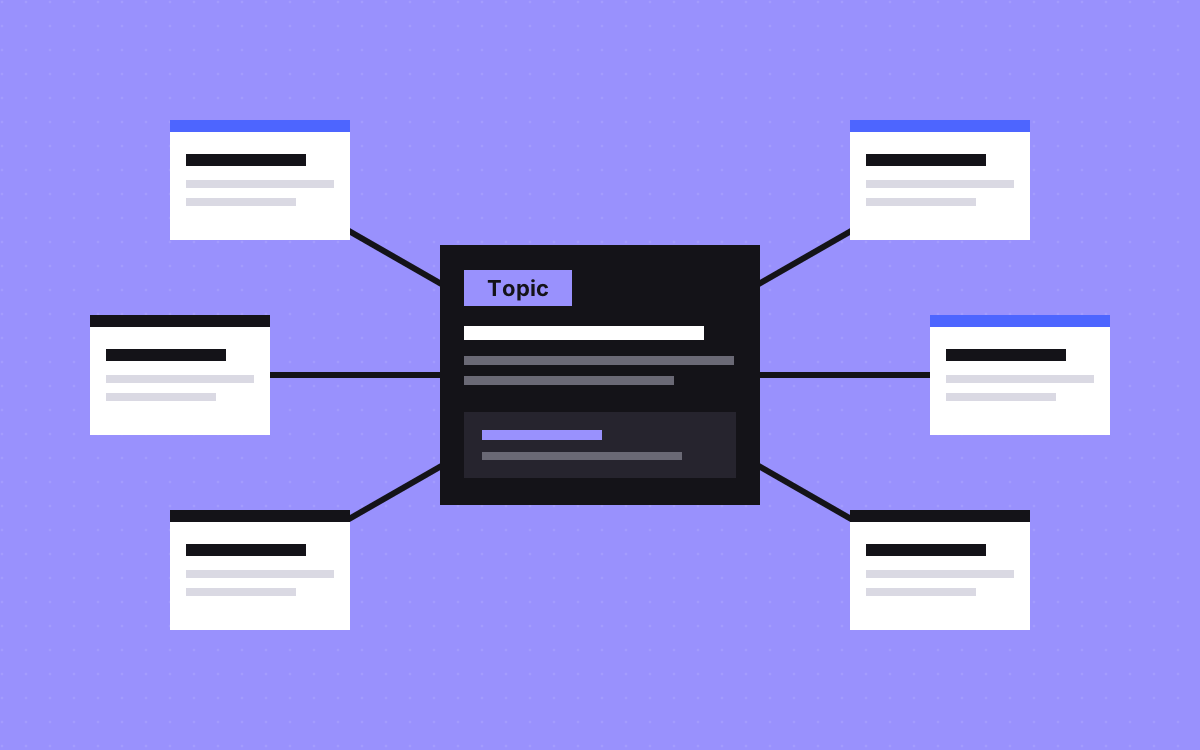
- A topic cluster kept in a spreadsheet goes out of date. Put it in the CMS as data, and the links keep up on their own.
- Use two main collections: Topics and Articles. Each article gets one required main topic and may list a few others.
- The topic page lists its articles automatically, and every article links back through a breadcrumb.
- Keep topics out of article URLs, so moving an article to another topic needs no redirect.
- A topic page needs its own answer and intro. A bare list of cards is just a tag page.
The short answer
To build topic clusters into a CMS, create a Topics collection and an Articles collection. Give each article one required reference to its main topic and an optional list of related topics. The topic template lists its articles automatically, and every article links back to its topic. Publishing a new article then updates the hub and the links with no extra work.
Clusters will not rank a site by themselves, and we would not promise that they do. What they give you is order. Readers can find the next useful page, and no article is left without links.
Why the spreadsheet version fails
Most cluster plans live in a spreadsheet, and links get added by hand. Then three things happen. A new post goes up and nobody adds it to the hub. A writer leaves and the sheet stops being updated. A post is deleted and its links remain.
Google says every page you care about should have a link from at least one other page. If the structure is data, that rule holds by default, and you can see the gaps in a CMS view. Read topical authority and orphan page for the background.
The content model
This is a starting content model. Rename the fields, and keep the relationships.
| Collection | Fields | Why |
|---|---|---|
| Topics | Name, slug, short answer, intro, related service link, SEO title, SEO description | One page per subject. The short answer makes the hub quotable. |
| Articles | Title, slug, summary, body, main topic (single reference, required), also about (multi-reference), type (guide, comparison, checklist), author, updated date | The single reference decides the breadcrumb. The multi-reference feeds the related lists. |
| Glossary terms (optional) | Term, slug, definition, topic (single reference) | Short answers that link up to the hub. |
| Authors | Name, role, photo, bio | Named authors help readers trust the page. |
The rules that keep it clean
- One main topic per article, required. This gives one breadcrumb and one home. If an article cannot pick, it may be two articles.
- No more than three "also about" topics. Our rule of thumb. Beyond that, the related lists stop meaning anything.
- No topic in the article URL. Use
/blog/redirect-map-template, not/blog/migrations/redirect-map-template. Then moving an article to another topic needs no redirect. - Only the lead editor adds topics. Topic lists grow quickly if anyone can add to them.
- A topic with fewer than three articles stays hidden. Also our rule of thumb. Keep it set to noindex, or leave it unlinked, until there is enough to show.
A worked example
Take one topic, using real posts from this site. The topic page shown here is an example of the model, and is not a live page.
- Topic: Site migrations, with a short answer on how to move a site without losing search traffic.
- Related service link: WordPress to Webflow.
- Guides: WordPress to Webflow migration, Wix to Webflow, Squarespace to Webflow.
- Checklist: Redirect map template.
- Also about: the redirect map might also sit under a Technical SEO topic, so it shows in that topic's related list too.
The topic page groups these by the type field, so guides and checklists sit under separate headings without any manual layout. Add a new guide, set its main topic, and it appears in the right group.
Building it in Webflow
Webflow's CMS handles this with reference and multi-reference fields. The parts that matter:
- Listing articles on the topic page. On the Topics collection page, add a collection list of Articles, and filter where main topic equals the current topic.
- Related articles on an article. Webflow's multi-reference help lists a Contains any rule. Use it to match articles that share a topic with this one, then test that the current article stays out of its own list.
- One catch. A list bound directly to a multi-reference field cannot be filtered or sorted, and shows items in the order they were picked. For sorted lists, connect the list to the Articles collection and filter it.
- Limits. Collection and item limits depend on your plan. Check the current docs before you commit to the model.
Our Webflow CMS guide covers planning in more depth, and Webflow CMS is how we build it.
Building it in Sanity and Astro
In Sanity, a reference field links one document to another, and Sanity says references can be queried from either side. That suits clusters. A topic page does not need a stored list of articles. You query for every article that points at it, using references(^._id) in GROQ. Set the main topic as required in the schema, so editors cannot publish without one. See Astro and Sanity.
You can use the same idea without a CMS. This site keeps its content in data files. Blog posts show a row of glossary terms used, and glossary terms show a row of further reading, both matched by one small helper, so nobody keeps those lists by hand.
Make the hub worth a visit
A topic page that only shows cards is a tag page, and tag pages tend to be thin. Give each hub:
- A short answer to the main question, in the first lines.
- An intro in plain words, saying who it helps and where to start.
- Articles grouped by type, with the best starting point first.
- A clear link to the matching service or next step.
- A breadcrumb on each article, with real links back to the hub.
Use specific link text. Google suggests reading your link text out of context to see if it still makes sense. Name your cards after the article title, and drop any "read more" labels.
Keeping it healthy
Once a quarter, spend an hour on these views:
- Topics with few articles. Fill them or merge them.
- Topics with far too many articles. Split them if clear subjects appear.
- Articles that overlap. Merge them and add a 301 redirect.
- Old updated dates. Review the facts in the posts your readers use most.
- Search Console by folder. Check that hub pages get impressions, using the page filter.
What to do next
List your existing posts, give each one a main topic, and see which topics emerge. That list tells you what the model should hold and which gaps to write next. Then add the fields and templates in your CMS. If you want this built or rebuilt, see Webflow CMS or SEO and AEO, or tell us about your site.